Spades: Classic Card Games
MobilityWareCard
4.716.43K Reviews
- Version
- 3.1.0.6767
- Installs
- 10.00M
- Age Rating
- Everyone
Screenshots
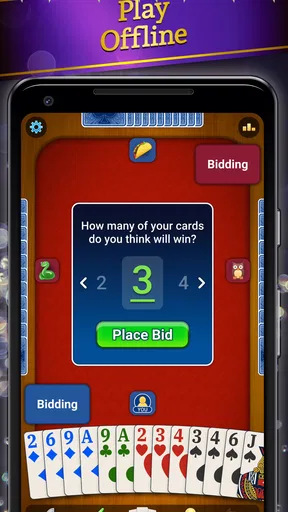
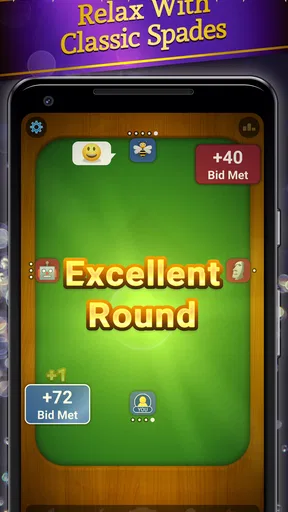
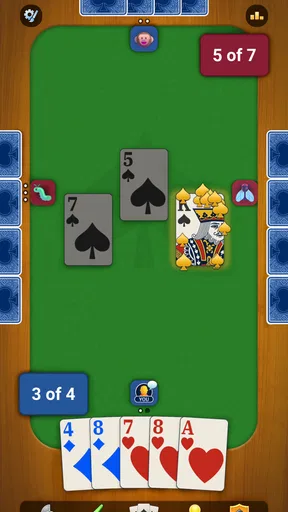
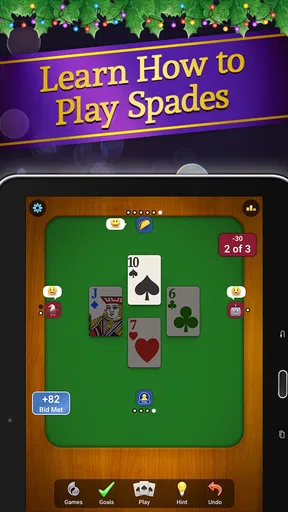
Our Review of Spades: Classic Card Games
 Analysis by Appyee
When I have a few spare minutes and want a game with a clear decision at its center, I reach for Spades: Classic Card Games. The appeal is not a long campaign or a complicated collection of modes; it is the familiar sequence of looking at your hand, deciding what it can do, then seeing whether your judgment holds up. That makes it a natural fit for a short break, though a full round can ask for more attention than a quick tap-through game.
Choosing a table for the time you have
Spades: Classic Card Games is a free card game from MobilityWare, and its straightforward setup makes it approachable if you already know Spades or want to learn the basic rhythm. The game is rated for Everyone, and it runs on Android 8.0 or later. Its current version is 2.5.3.4613. The app has a 4.7 average from around 187,000 ratings, and has been installed over 10 million times, which gives a new player plenty of reason to consider it while still being no substitute for deciding whether its style suits you.
The first useful choice is whether you want to practice alone or play socially. A solo game is the lower-pressure option: you can take time to think through a bid, watch how a hand develops, and get comfortable with the rules without needing to coordinate with anyone. Online multiplayer is a better match when the unpredictability of human opponents is the point. I would choose based on my mood rather than treating one mode as the “real” experience and the other as a fallback.
For a realistic everyday use, imagine waiting for a ride or winding down after dinner. If I have only a short gap, I can start a game and focus on one hand at a time; if I am playing with friends, I would set aside a less interrupted stretch so the conversation and decisions do not compete with everything else. Spades is more engaging when I can follow the cards already played, so it is not my first choice while I need to keep checking messages or listening for something important.
Getting Started: A Smooth Deal
First things first, installation is a breeze. Head over to your app store of choice, search for Spades: Classic Card Games, and hit download. The app is lightweight, so it won’t hog up your precious storage space. Once installed, you're greeted with a clean and intuitive interface. No overwhelming menus or confusing options, just a straightforward path to start playing.
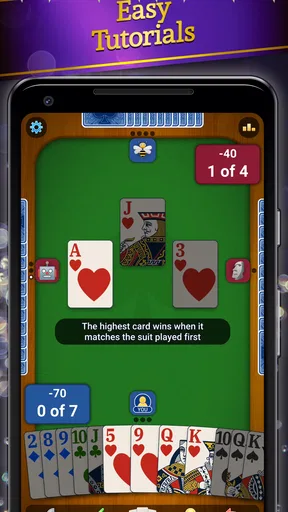
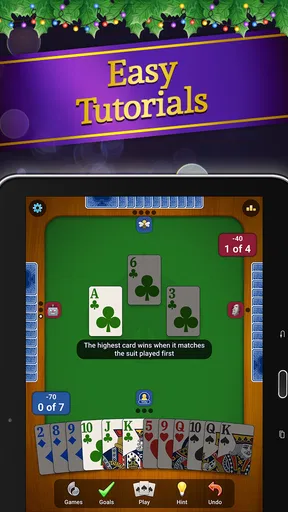
The onboarding process is pretty seamless too. If you're a Spades newbie, don’t worry. The app provides a handy tutorial that covers all the basics. It walks you through the rules, how to bid, and tips on how to trump your opponents. For seasoned players, you can skip the tutorial and jump straight into the action.
That tutorial is especially useful because bidding is where a beginner can feel lost even after learning which cards beat which. My practical advice is to treat early rounds as observation, not as a test of whether you can guess every outcome. Notice how often your high cards win tricks and how your partner’s play changes what your own bid means. A conservative estimate is usually easier to learn from than a dramatic bid that depends on several things going perfectly.
How each hand earns another
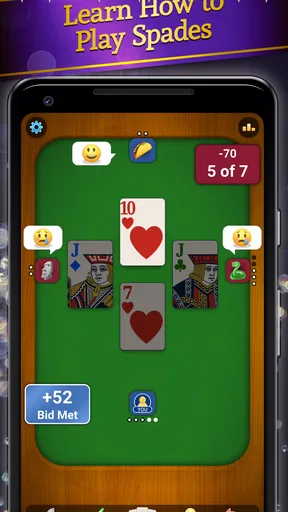
The core loop is easy to understand but gives each round a little tension: study your hand, make a bid, play cards in sequence, then see how the result measures up. The decisions are small enough to make on a phone, yet connected enough that a careless early play can leave you short later. For me, that balance is the reason a hand can feel satisfying even when I do not win it.
Gameplay: A Classic Experience
The heart of any card game app is the gameplay, and this one doesn’t disappoint. The developers have done a stellar job of capturing the classic feel of a Spades game on your mobile device. You can choose to play solo against AI opponents, or if you're feeling social, dive into multiplayer mode to challenge friends or random players online.
The AI opponents are surprisingly clever, offering a decent challenge even for experienced players. The multiplayer mode is where things get spicy, though. Competing against real people adds an unpredictable element, making each game unique and exciting. Plus, there's an in-game chat feature, so you can engage in some friendly banter (or trash talk) as you play.
The difference between those options is more than the opponent. Solo play lets me concentrate on the card logic and review a decision without the social pace of a live table. Playing with people adds uncertainty and can make the same familiar deal feel fresh, but it also means a match is less suited to a stop-start session. If I want a quiet way to practice, I would stay with the AI; if I want the social edge, I would choose multiplayer and give the game my attention.
One small habit that improves my decisions is to keep track of which high cards and spades have already appeared rather than judging each trick in isolation. I also try not to let a promising opening hand dictate every later play: once the cards on the table change what is likely to win, the original plan may need adjusting. That kind of mental bookkeeping is part of Spades’ appeal, but it is also why players looking for a game they can play entirely on autopilot may find it demanding.
Features: More Than Just Cards
What sets Spades: Classic Card Games apart from other card games is its variety of features that enhance the overall experience. You have options to customize your deck and table, adding a personal touch to your games. There are also daily challenges and leaderboards, encouraging you to keep coming back and improving your skills.
One of my favorite features is the statistics tracker. It keeps tabs on your wins, losses, and overall performance. It’s a great way to see how you stack up against other players and identify areas for improvement. Plus, it feels pretty satisfying to watch your win count climb higher and higher.
Those extras work best when they support a routine instead of becoming the reason to play. A daily challenge can give me a specific target when I do not feel like choosing a longer session, while the statistics are more useful as a broad check on my habits than as a verdict on one unlucky run. If I keep losing tricks after overbidding, for example, I can focus on making more careful estimates rather than chasing a leaderboard position.
There is a trade-off in that kind of progress loop. Challenges and records can make familiar hands feel purposeful, but a player who wants every game to be a new mode or a different ruleset may find the core of Spades more consistent than varied. I see that consistency as a strength when I want to improve, and a limitation when I am in the mood for a bigger change of pace.
The game is free to download, with in-app purchases priced from $4.99 to $29.99 per item. I would start with the free experience and decide whether any paid extras are worth it to me rather than assuming a purchase is needed to enjoy a round. This is a sensible approach for casual players who want to try the basic card-game loop first, especially if they are unsure how often they will return.
Visuals and Sound: A Feast for the Senses
The app boasts crisp, vibrant graphics that make it a pleasure to look at. The card designs are clear and easy to read, and the animations are smooth, adding a dynamic flair to the gameplay. The music and sound effects are subtle yet effective, providing just enough auditory feedback to keep you immersed without being distracting.
If you prefer a quieter gaming experience, you can easily adjust the volume or mute the sound altogether. It’s all about tailoring the experience to suit your preferences.
Clear card faces matter more here than elaborate effects, because the useful feedback is seeing the trick play out and understanding whether the hand is moving toward your bid. The sounds and animations add a little punctuation to that rhythm; they do not replace the decisions. I would mute the audio in a shared space and keep the visual cues, especially if I wanted to stay aware of the cards without drawing attention to my phone.
Compared with simpler casual card apps, this one asks for more planning than matching or luck-driven play, but it remains more convenient than arranging a physical table and finding a full group. A real game with friends is still better when face-to-face conversation and house rules are central. For a solo practice session or a quick online match, the phone format is the practical advantage.
When I would pick another card game
I would recommend this to someone who enjoys the particular mix of partnership, bidding, and remembering what has already been played. It is also a good fit for a player who wants a tutorial before joining a table, or a familiar game that can be revisited in short bursts. The online option suits people who like a human opponent’s unpredictability, while solo play makes it easier to learn at an unhurried pace.
I would skip it if I wanted a purely passive time-killer, a fast game with almost no planning, or a card app built around a wide variety of unrelated games. Spades has a defined structure, and the fun depends on caring about how each hand unfolds. Someone who dislikes bidding, tracking cards, or the occasional uncertainty of playing against others may be happier with a simpler solitaire-style game.
If you are deciding whether to try it, the key question is not whether you already play Spades perfectly; the tutorial gives newcomers a starting point. It is whether you enjoy making a plan with incomplete information and adapting as the cards appear. The free download makes it easy to test that fit, while the optional purchases are something to consider only after you know the game is part of your routine.
Final Thoughts: A Winning Hand?
In conclusion, Spades: Classic Card Games is a fantastic app for anyone who enjoys classic card games. Its user-friendly interface, engaging gameplay, and array of features make it a standout option in the sea of mobile card games. Whether you’re playing solo or with friends, it offers hours of entertainment.
The combination of traditional Spades charm with modern app conveniences makes it a must-try. So, if you're ready to relive those card table memories or create new ones, give this app a shot. Who knows? You might just find yourself hooked on the joy of Spades all over again.
Why the next session makes sense
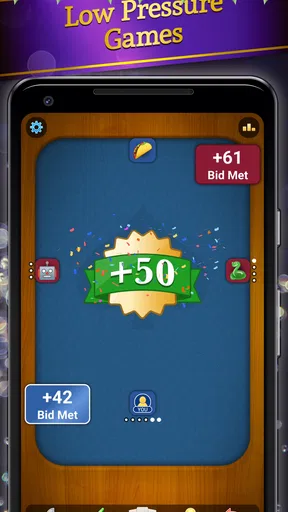
The satisfying part of a round is not only winning. I like that the hand ends with a clear result, giving me a natural pause to think about whether my bid was sensible and whether I played too cautiously or too boldly. Then the next deal resets the problem without erasing what I learned, so another session has a reason to begin beyond simply filling time.
That reset also keeps a poor hand from defining the whole experience. I can take a break after a frustrating result, or play again with one specific adjustment in mind. For me, that is the strongest recommendation: this is a focused, familiar card game that rewards attention in manageable doses, rather than a collection of distractions. If that is the kind of loop you enjoy, MobilityWare’s take on Spades is easy to keep within reach; if you want constant novelty or no-pressure tapping, a different card game will likely suit you better.
Privacy and Permissions
See what permissions an app requests and how it handles your data.
- Other
- view network connections, full network access, control vibration, prevent device from sleeping, Google Play license check
Verdict
Strengths of Spades: Classic Card Games
- Intuitive interface for easy navigation.
- Smooth and engaging gameplay experience.
- Multiple game modes available.
- Customizable avatars and themes.
- Low data usage for online play.
Limitations of Spades: Classic Card Games
- Occasional in-app ads can be intrusive.
- Limited offline features.
- Requires internet for full functionality.
- No tutorial for beginners.
- Some in-app purchases are pricey.
Other Releases by MobilityWare
View All

Similar Picks in This Category
View All
Solitaire - Classic Card Games
MobilityWare4.6

UNO!™
Mattel163 Limited4.3

Spider Solitaire: Card Games
MobilityWare4.6

Solitaire.com - Classic Cards
Tripledot Studios Limited4.7

Plants vs. Zombies™ Heroes
ELECTRONIC ARTS4.1

Hearthstone
Blizzard Entertainment, Inc.4.1
Frequently Asked Questions
What are the main features of Spades: Classic Card Games?
Spades: Classic Card Games offers a traditional card game experience with modern enhancements. It includes various game modes such as solo play, multiplayer, and tournaments. Users can customize their decks, enjoy a seamless online match system, and track their progress with in-game statistics and leaderboards.
Is Spades: Classic Card Games suitable for beginners?
Yes, the app caters to players of all skill levels. It provides a comprehensive tutorial for beginners to learn the basics of Spades, including rules and strategies. Advanced players can refine their skills with challenging AI opponents or compete against others online.
Does Spades: Classic Card Games require an internet connection?
While an internet connection is necessary for online multiplayer and tournaments, Spades: Classic Card Games also offers offline modes. Players can enjoy single-player games against AI opponents without needing internet access, making it a convenient option for on-the-go gaming.
Are there any in-app purchases or ads?
Spades: Classic Card Games is free to download and play. It contains optional in-app purchases for cosmetic items and ad-free experiences. Advertisements may appear during gameplay, but they are designed to be non-intrusive, ensuring an enjoyable user experience.
How does the multiplayer feature work in Spades: Classic Card Games?
The multiplayer feature allows users to compete against friends or random players worldwide. It supports real-time matchmaking and includes chat options for interaction. Players can join ranked matches or create private games with customizable rules, offering a flexible and engaging multiplayer experience.
Play our best games!


